Saved in this browser only. No inquiry, quote or order is sent.
IN FOCUS/ Y1000RGB
Light starts with an idea.
Explore the setup, then make the light your own.
01
Build the light around your subject.
Start with the direction of the key light. Move it off the camera axis for shape, then choose the modifier and fill for the portrait, interview or product in front of you.
Light mode
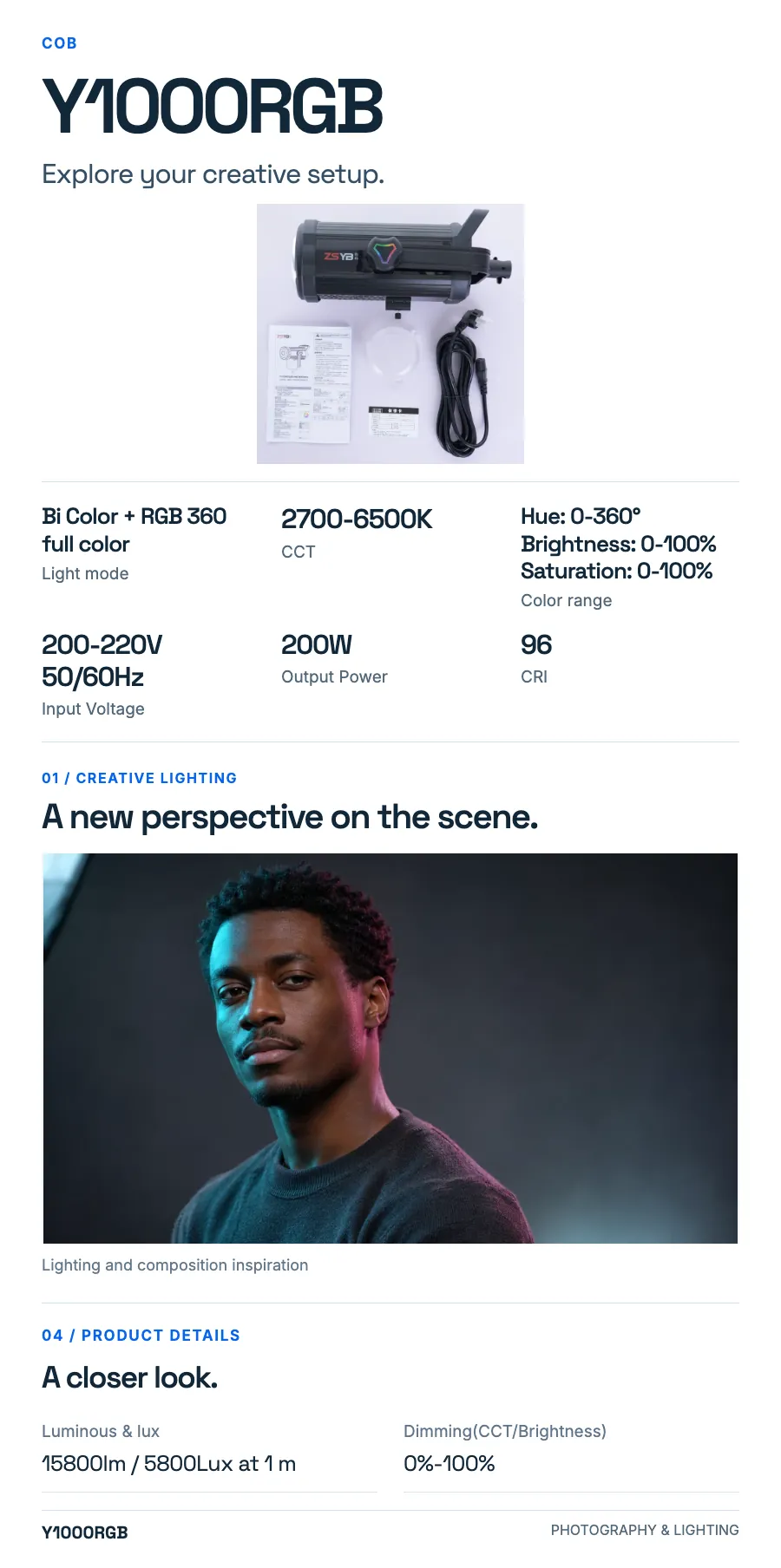
Bi Color + RGB 360 full color
CCT
2700-6500K
Color range
Hue: 0-360° Brightness: 0-100% Saturation: 0-100%
Output Power
200W
02
Position. Shape. Compose.
Use these physical details to plan the fixture position and the accessories in your setup.
Lamp body material
aluminum alloy
03
Find your working rhythm.
Keep the controls and power connections within reach. Match the setup to the way you move between framing, lighting and capture.
Input Voltage
200-220V 50/60Hz
Dimming(CCT/Brightness)
0%-100%
Control
Remote / APP Zeolo
04
Build the configuration you need.
Use the listed contents and options to prepare your kit. Choose the exact configuration when adding the product to your purchase list.
Package contents
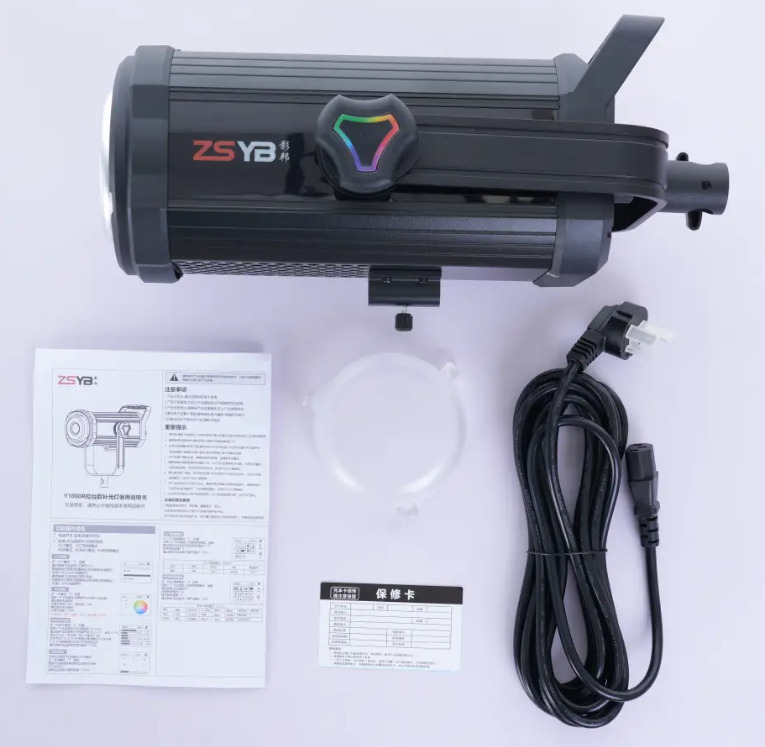
light/remote/power cable
Configuration & packing
Choose a configuration above to read its specifications and packing.
Preparing image and selection controls… You can read product information and original images.
Product details
Explore the design, features and configuration.
Product details1 / 1
Open full size ↗
At a glance
A product, clearly presented.
Explore Y1000RGB. Choose a configuration and view the product details.
The details
Specifications
Specifications
Detail 1
Bi Color + RGB 360 full color
Detail 2
CCT:2700-6500K
Detail 3
Color range: Hue: 0-360° Brightness: 0-100% Saturation: 0-100%
Detail 4
Input Voltage :200-220V 50/60Hz
Detail 5
Output Power: 200W
Detail 6
CRI: 96
Detail 7
Luminous & lux :15800lm / 5800Lux at 1 m
Detail 8
Dimming(CCT/Brightness): 0%-100%
Detail 9
Lamp body material: aluminum alloy
Detail 10
Lighting Effect: 8 FX
Detail 11
Control: Remote / APP Zeolo
Detail 12
Package contents: light/remote/power cable
Source material
Product resources
Explore product images, configuration information and available documents.