Saved in this browser only. No inquiry, quote or order is sent.
IN FOCUS/ BK300R
Light starts with an idea.
Explore the setup, then make the light your own.
01
Build the light around your subject.
Start with the direction of the key light. Move it off the camera axis for shape, then choose the modifier and fill for the portrait, interview or product in front of you.
Light mode
Bi color/RGB
CCT
2700-6500K+360 full color
Output Power
300W
Color range
Hue: 0-360°
02
Find your working rhythm.
Keep the controls and power connections within reach. Match the setup to the way you move between framing, lighting and capture.
Brightness
0-100%
Configuration & packing
Choose a configuration above to read its specifications and packing.
Preparing image and selection controls… You can read product information and original images.
Product details
Explore the design, features and configuration.
Product details1 / 1
Open full size ↗
At a glance
A product, clearly presented.
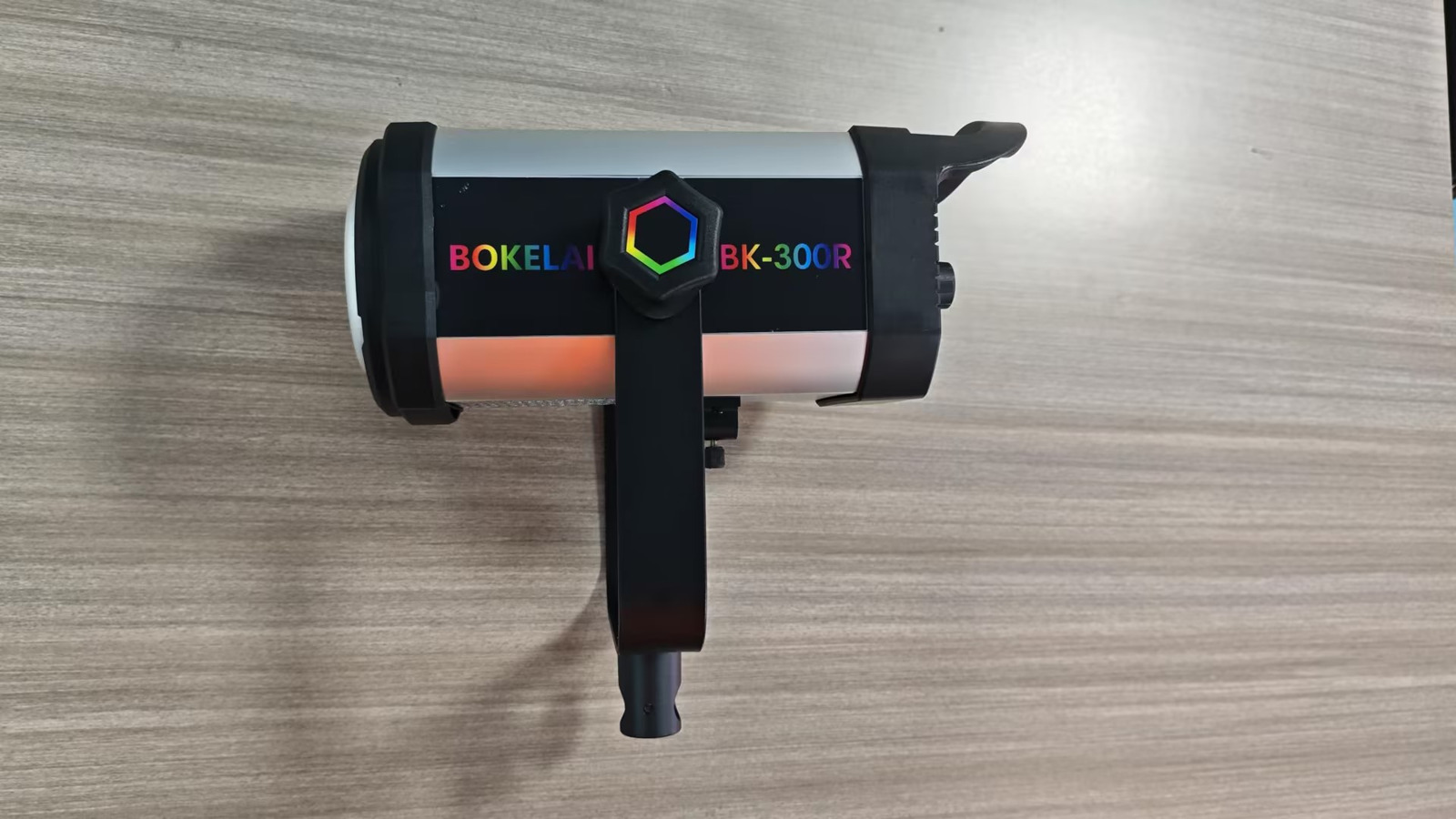
Explore BK300R. Choose a configuration and view the product details.
The details
Specifications
Specifications
Detail 1
Bi color/RGB
Detail 2
CCT: 2700-6500K+360 full color
Detail 3
Output Power: 300W
Detail 4
Color range: Hue: 0-360°
Detail 5
Brightness: 0-100%
Source material
Product resources
Explore product images, configuration information and available documents.